

We All Facing Problem Of Windows Boot Up Speed. Sometimes It Take Too Long To Get PC To Load.
Therefore Here I Mention All Tweaks That Increase Windows Boot Up Speed In Easy Tips And Tricks.
This All Tricks Are Risk Free ! So You Can Try It Out Without Any Hesitation.
1. Decrease Startup Delay :
In This Step First Go To Start And Open Run.
In Run Type msconfig And Press Enter.You Will Be See The New Window Popups.
Now In This Go To BOOT.INI Tab. You Will See Timeout Option In It.
Change Timeout To 5 sec From 30. And Save Settings.
2. Defragment Your Hard Drive :
Go TO Start -> Accessories -> System Tools And Choose Disk Defragment.
Then Analyse The Disks And After Analyzing Is Over Click On Defrag.
3.Remove Unwanted Startup Programs :
Open your Start menu.
Click Run
Click Run
Type msconfig, click Enter
In the system configuration utility,click either services or startup tab.
Uncheck all programs that your are no longer want to run in the background.
It' Done...
4.Detele Temporary Files From Your PC :
Temporary Files Is Story Your Much Memory And Also Get More Processes.
So We Need To Delete It Regularly.
To Delete Temporary Files From Your PC,
Go To Start And Open Run.
In The Run Menu Type %temp% And Press Enter.
Now The Folder Of Temporary Files Will Be Open.
Select All Files And Delete Them.
5. Scan Disk For Fix Issues :
And Select Properties.
A Popup Menu Will Be Open.
In This Menu Navigate To Tools Tab.
You Can Find Error-Checking Option Under It.
Click On Check Now And Fix Essues.
It's All Done.

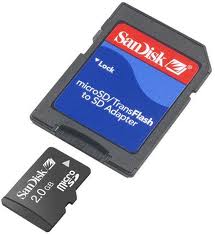 Some times it happens that you forgot the password of your memory card (MMC, micro SD) and you have lots of your important data in it. and You struggle to get back your password. Right? Today am going to show you how you can recover the lost password of your memory card with the help of nokia phone.
 How would you like to change the logon screen background in Windows 7 so as to give your Windows a customized look and feel? With a small tweak it is possible to customize the Windows 7 logon screen and set your own picture/wallpaper as the background. Changing logon screen background in Windows 7 is as simple as changing your desktop wallpaper. Well here is a step by step instruction to customize the logon screen background.